All your calendars in
one place.
Classes, personal, work: InGest. brings your calendars, tasks, notes and email together in one app. Tell the assistant what you have planned, it takes care of the rest.
- Data hosted in Europe
- Web, iPhone and Android
- Free plan available
Works with your calendars and email:
- Google Calendar
- Apple Calendar
- Microsoft 365
- Pronote
- University portals
- Gmail · iCloud · Outlook
Why InGest.
Classes, personal, work: three lives, one schedule.
Your university timetable from a student portal, your classes on Pronote: InGest works with most academic sources. Personal appointments on your phone, internship meetings in Outlook… InGest imports all your tasks and events, so you can run your day from one place, with extensive customization: colours, views and more.
Classes
Import your timetable from an .ics or .ical link, a file or a simple photo. Room changes update automatically*.
Personal
Sport, nights out, appointments: sync Google Calendar or Apple Calendar, and add your shopping lists.
Work
Internship, apprenticeship or student job: connect Microsoft 365 and let Automat spot meetings in your email.
* Subject to the terms and API call limits set by your calendar provider.
Features
Everything you need to keep a light mind.
One app and up to eight connected tools: a date spotted in a note or an email becomes an event in one click.
Plan the way you talk. Your calendar follows.
“Dentist Tuesday 5pm”, “law exam on 12 December at 9am”, “running every Saturday”. The assistant understands the date, the time, the recurrence and the right calendar.
Nothing is created without your approval: the AI suggests, you decide.
Unified calendar
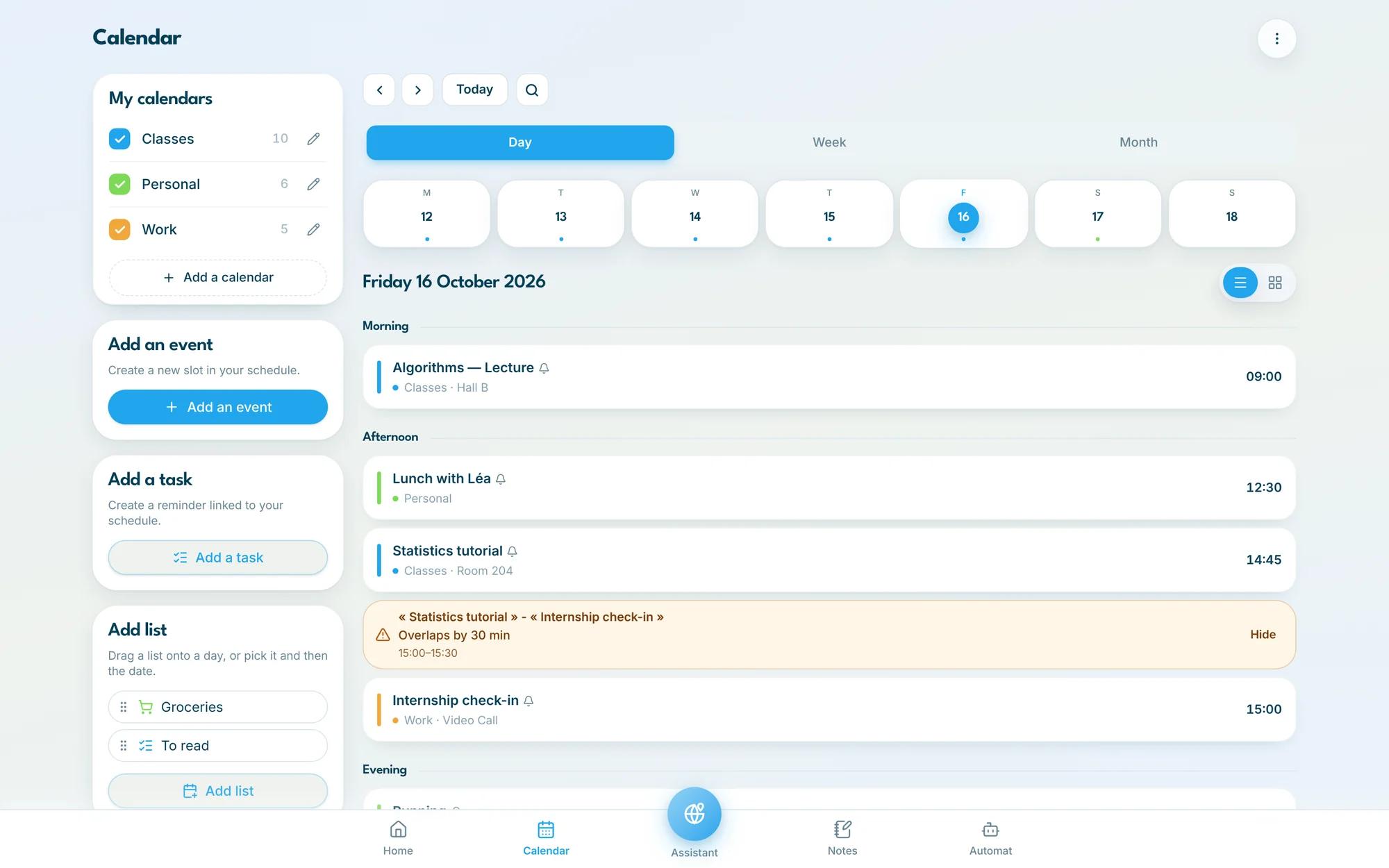
Day, week and month views. Search, reminders, free slots and alerts when two events overlap.
One-click import
An .ics link, a file or a photo of your paper timetable: InGest. extracts your classes automatically.
Automat
Connect Gmail, iCloud or Outlook. Automat spots appointments in your email and sums them up for you.
Block notes
Take your notes in the Notes tool. Much like Notion©, organize them as tables, Kanban boards and much more.
Tasks and focus
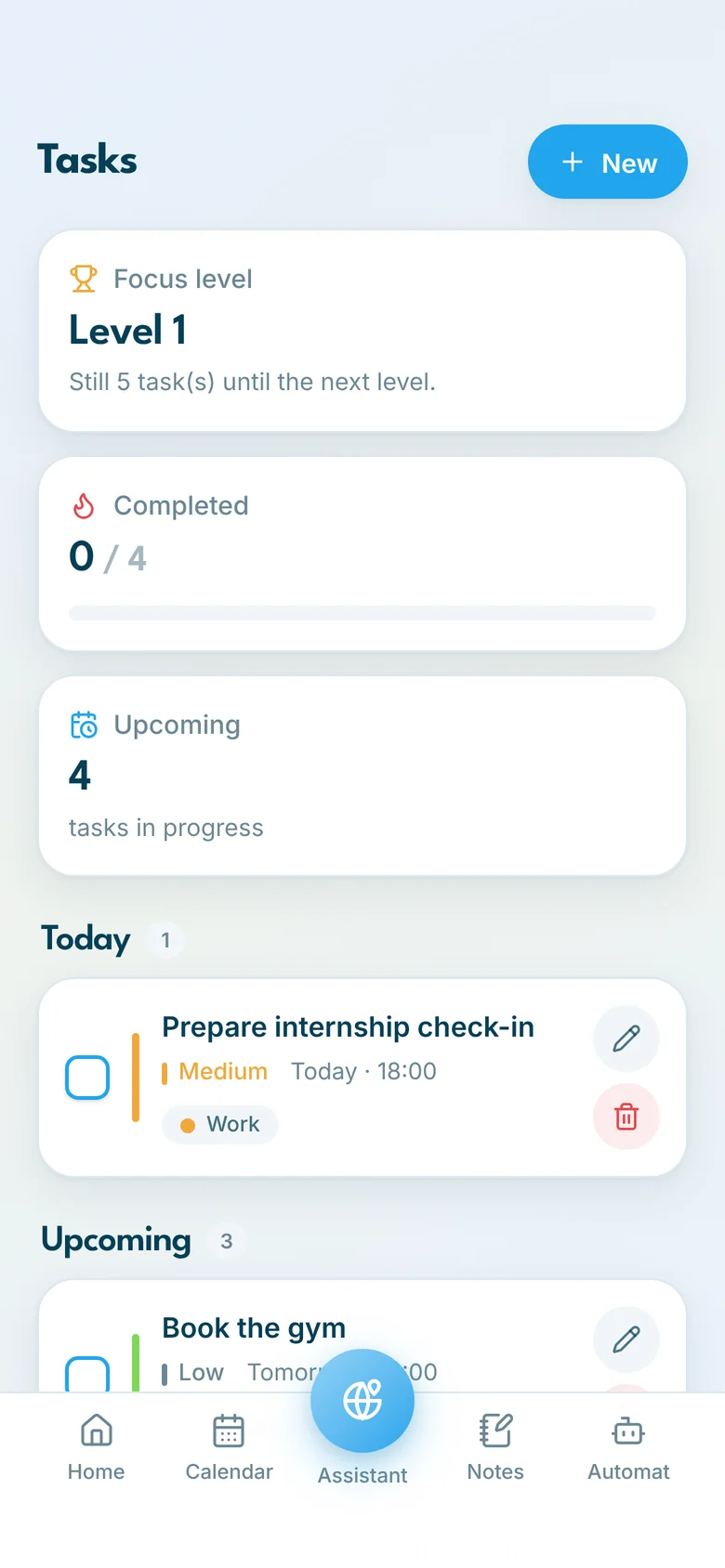
Deadlines shown in your calendar, priorities, and a focus level that grows with every task you complete.
Lists
Groceries, packing, reading: lists by category to tick off and drag straight into your calendar.
Grade tracker
Grades, course units and GPA in one place, with a revision planner to get ready for exams.
Personalized news
A news feed on your home screen, tuned to your interests: campus, sport, culture, tech.
Devices
On computer, tablet and phone.
One account, one database: what you add on the train shows up on your computer when you get to class.
Your whole day on the big screen.
Sign in from any computer at klv-united.app: calendars, overlaps and free slots at a glance.
- Nothing to install
- The same account as on mobile
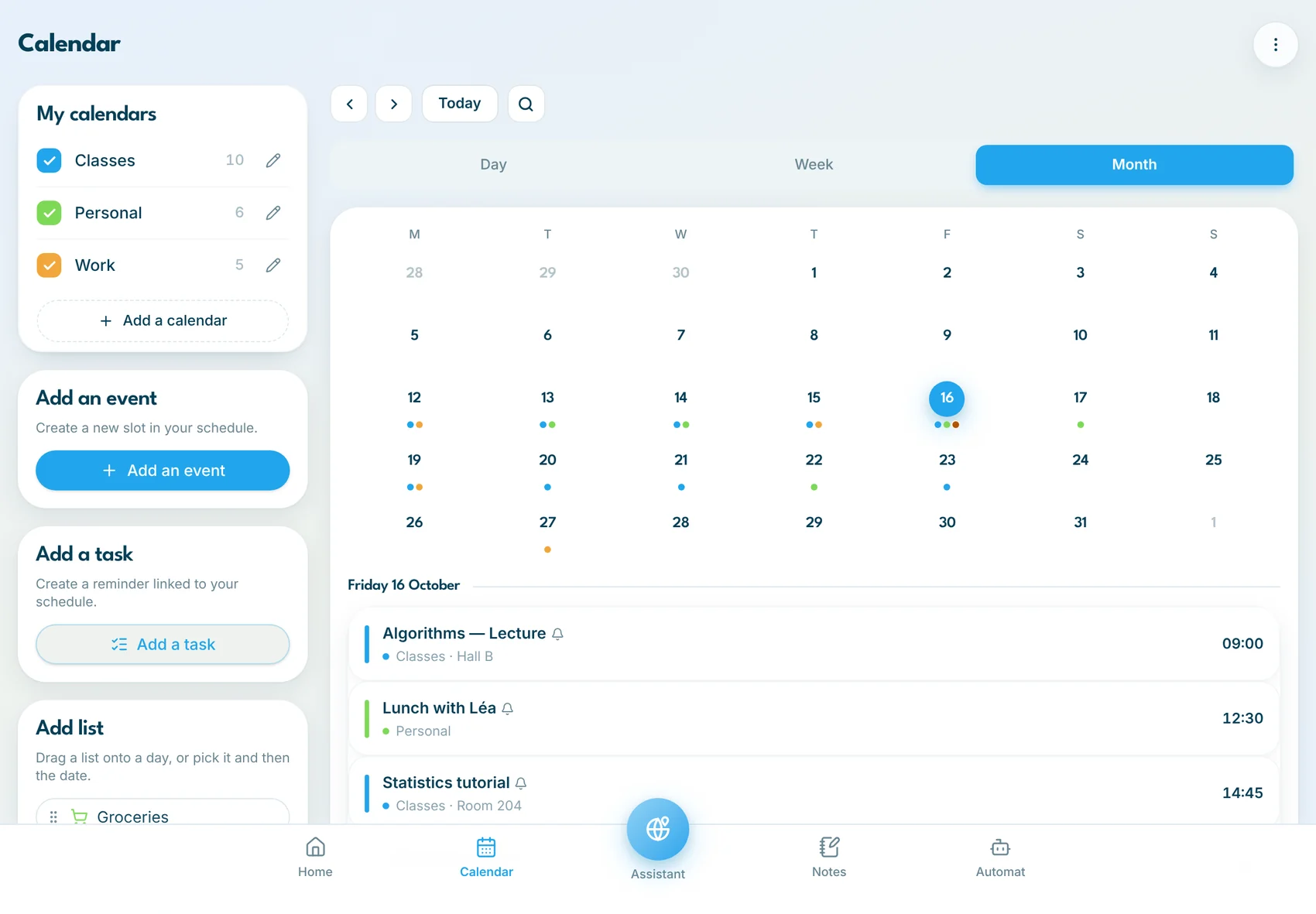
Your month at a glance.
On iPad, your calendars sit next to the month view: tap a day to see its events, drag a list onto a date.
- Side-by-side layout in landscape
- A colour dot for each calendar
- Event, task or list in one tap
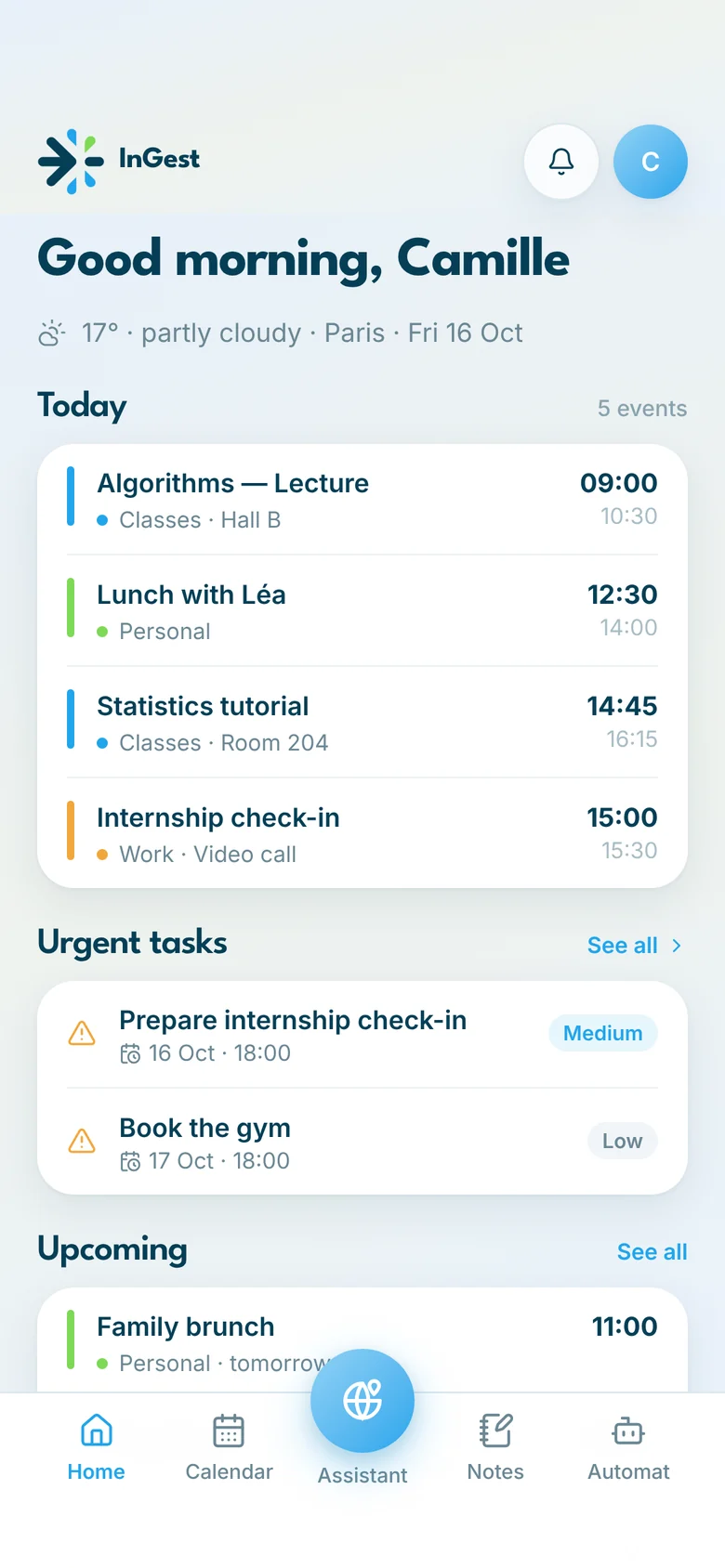
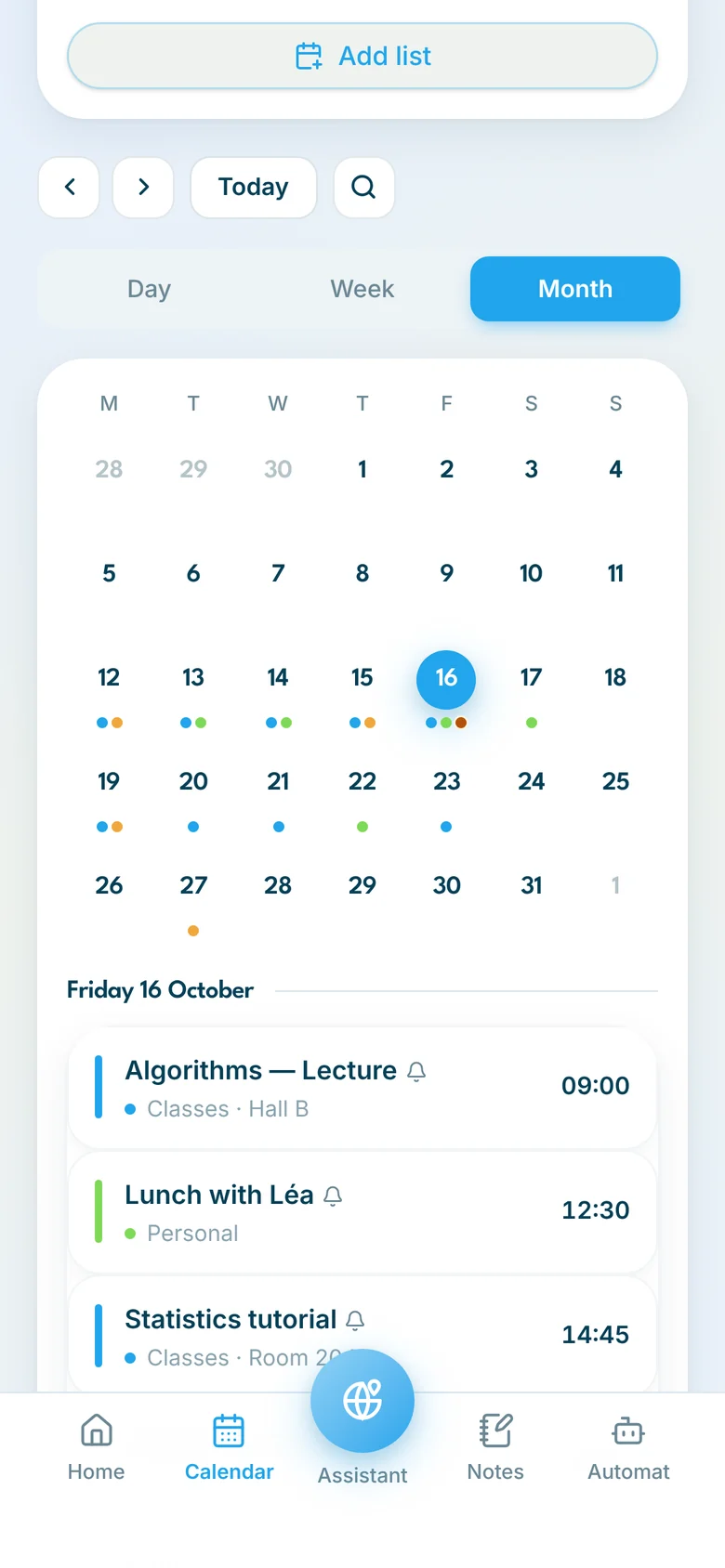
Your day in your pocket.
Home, calendar and tasks within thumb's reach, with the assistant always in the middle of the bar.
- Today's events and urgent tasks on the home screen
- Month view with colour dots
- A focus level to keep the momentum
Getting started
Ready in three minutes.
Create your account
With Google or your email. Your Classes and Personal calendars are ready right away.
Import your calendars
Paste an .ics or .ical link (Pronote, student portal, Microsoft 365, Google, Apple) or take a photo of your timetable.
Talk to the assistant
Add an appointment, a task or a revision session in one sentence. You confirm, it's scheduled.
Pricing
A complete offer, even on the free plan.
Paid plans add comfort: more AI, more mailboxes, zero ads.
Free
The essentials, to get started.
€0forever
No credit card needed
- 2 default calendars
- Events: unlimited
- Tasks: unlimited
- Lists: up to 50
- Notes: up to 5
- Photos in notes: not available
- Tables in Notes: up to 100 rows
- Kanban in Notes: not available
- News: not available
- AI assistant: 10 requests / monthEvents, tasks, to-do lists, email analysis…
- Calendar import by file or link: 3 / month
- Connected mailbox: 1
- Includes ads
Plus
Stop counting.
€3.99/ month
−25%billed yearly: €35.99 / year
- 3 customizable calendars
- Events: unlimited
- Tasks: unlimited
- Lists: unlimited
- Notes: up to 20
- Documents in your notes: 200 MB (15 MB max. per document)
- Tables in Notes: 500 rows
- Kanban in Notes: up to 10
- AI assistant: 50 requests / monthEvents, tasks, to-do lists, email analysis…
- Calendar import by file or link: 10 / month
- Connected mailboxes: up to 3
- Plus exclusives
- News: a selection of articles based on your interests
- Automatic revision planning
- Export notes to PDF / Word
Pro
The assistant that thinks ahead for you.
€6.99/ month
−28%billed yearly: €59.99 / year
- 5 customizable calendars
- Events: unlimited
- Tasks: unlimited
- Lists: unlimited
- Notes: up to 200
- Documents in your notes: 5 GB (20 MB max. per document)
- Tables in Notes: up to 1,500 rows
- Kanban in Notes: unlimited
- AI assistant: 100 requests / monthEvents, tasks, to-do lists, email analysis…
- Calendar import by file or link: unlimited
- Connected mailboxes: up to 5
- News: a selection of articles based on your interests
- Automatic revision planning
- Export notes to PDF / Word
- Pro exclusives
- Import PDF / Word files into Notes
- Markets: a selection of stock indices to follow live, based on your preferences
- Family: share and organize events, notes, lists and tasks across up to 4 accounts
- Sharing: share a note with anyone, no account needed
No commitment: cancel anytime from your account.
Your data
Your calendar belongs to you.
InGest. is designed in France by KLV United, with data hosted in Europe and an AI that never decides for you.
Hosted in Europe
AWS database in Ireland, GDPR compliant.
Secure connections
Gmail and Outlook via OAuth: your email password is never requested.
You stay in control
Every AI suggestion waits for your approval.
From age 16
Built for high-school students, university students and young professionals.
Frequently asked questions.
Contact
A question, an idea, a bug?
InGest. is in alpha and gets better with your feedback. Schools, student associations, press: get in touch.
Designed for a lighter mind.
Join the alpha and bring your whole week together in a few minutes.